Done-for-you loyalty card setup.
The complete setup costs $149, once. Here’s what we do and the little we ask of you.

Who does what
What you give us
- Your logo and colours
- The reward you want to offer
- Your opening hours and address
- 15 minutes with your team, by video, on setup day
What we do for you
- The design of your Apple Wallet and Google Wallet card
- All the configuration, from the first stamp to the automatic messages
- The QR code counter stand and the window sticker
- The transfer of stamps already earned on your paper cards
- Training for your team, in 15 minutes by video
- Support by phone, email and video call, in French and English
What arrives by mail
Counter kit
- For
- Café des Habitués Example
- Ready to set out
- Your QR code already printed
- First kit included in the setup
The counter stand
Front: the QR code to scan. Back: the sentence to say, for the team.
The window sticker
"Loyalty card available here", with the official Apple Wallet and Google Wallet badges.
The table cards
The same QR code on every table, for businesses with seating.
The team cheat sheet
A laminated page to keep at the counter: sign up, stamp, hand over, undo, and who to call.


Need another kit? Lost stand or new location: we send a new kit, at a price given in writing before it ships.
A 15-minute training, one sentence to remember
- By video call
- With the team present
- On the counter device
Three things to learn
- Giving a stamp
- Handing over a reward
- Undoing your own mistake
"Would you like your loyalty card?"
Your paper cards aren’t lost
"Bring your old card: we’ll transfer your stamps to your phone."
Paper card
- Customer sign-up
- The customer brings their old card and signs up.
- Transferred stamps
- The employee counts the stamps and adds them all at once.
- Visit counting
- This transfer doesn’t count as a visit in your numbers.
Apple Wallet or Google Wallet card
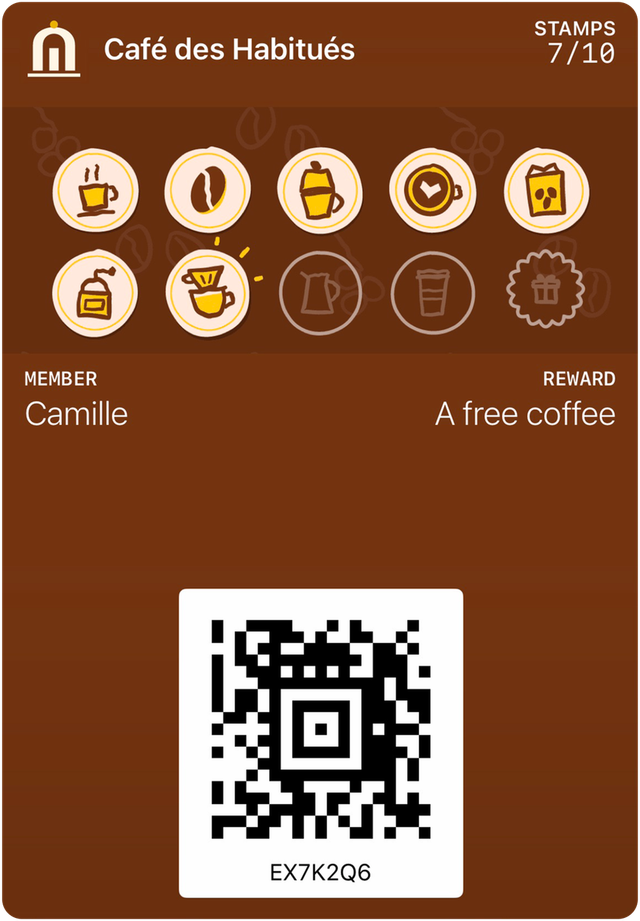
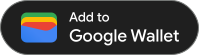
Sample card: the business is made up.
- Optional bonus
- You decide whether to add a bonus, and how many stamps.
For the first month, we stay with you
- Week1
A follow-up call
We watch the team at the counter and answer their questions: scanning, PIN.
- Week2
A check on sign-ups
Few sign-ups among the customers who come in? We go over the sentence with the team.
The sentence from the training - Week4
The month in review
A review in plain numbers, on three points.
- Members signed up
- Stamps given
- First rewards handed over
After setup, a real person answers you
Your business
You contact us
HoorayPass
Your point of contact
By phone, email or video call, in French and English. A question about your register, Apple or Google? We call the provider, never you.
Get in touchWe call the provider
The provider concerned
- Your register
- Apple
Registers: operation and availability
Scanning the QR code works with any register. The links with Square, Lightspeed Retail, Square Appointments, Vagaro (if your account allows it), Moneris, Clover, Shopify, Toast and TouchBistro are ready. Each one turns on as soon as the provider gives us access, with no promised date.
What it costs
$149once, for the complete setupthen$89per month, all included
- Plus taxes
- No commitment
No feature is sold separately. Extra hardware or a service? Only if you ask, with the price given beforehand, in writing.
See pricing
Let’s start with a 15-minute demo.
By video call, wherever your business is. No obligation.