Your loyalty card, in your customers’ Apple Wallet.
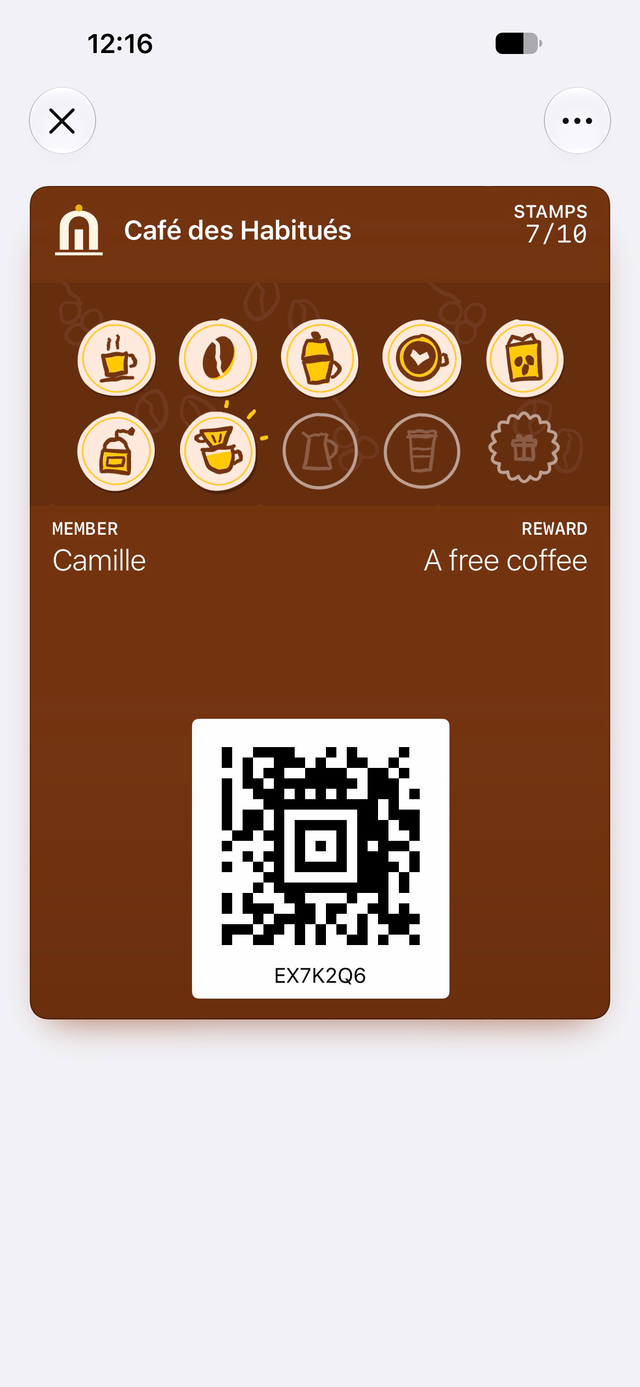
Your colours, your logo, your stamps. It updates seconds after each scan, with no app to download.
The card nobody leaves at home
A paper card gets lost or stays in the other coat. An app needs a download and a password: most customers give up. The Apple Wallet card is already on the phone, opens in one tap and always counts right.
How it works
Your customer scans the counter code
They give a first name, then a phone number or an email. On iPhone, the “Add to Apple Wallet” button shows up on its own.
Your staff scan the card
With a tablet or phone camera. The stamp appears on the card a few seconds later.
The phone lets your customer know
A short note on the lock screen when a stamp or a reward arrives. They know where they stand without opening anything.
Your name first. Ours only on the back.
What’s included
It’s all in the subscription, for every business, with no upgrade to buy.
- Apple Wallet card, on iPhone and Apple Watch.
- Your logo, your colours, your name first. Our name only shows on the back.
- The stamp appears a few seconds after the scan.
- A short note on the lock screen when a stamp or a reward arrives.
- The card speaks the phone’s language: French first, English if the phone is set to English.
- On the back: your hours, address, phone number and program rules.
- A discreet lock-screen reminder when your customer walks by.
- A large photo of your business on recent iPhones (iOS 27). The classic style on older ones.
- A changing code, so a screenshot is useless.
- A lost card can be recovered with all its stamps.
Your questions
Do my customers need to download an app?
What about older iPhones?
Can a screenshot of the card be used to cheat?
Do the notifications always arrive?
Read next
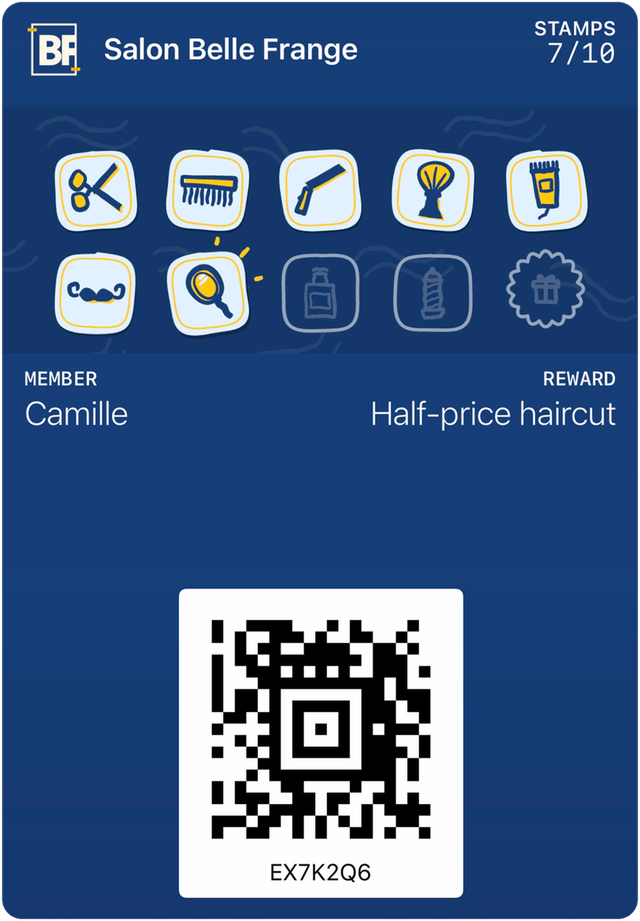
See your card before you decide.
A 15-minute video call demo, with the card on your own phone. One price, everything included.
$149 setup, one time only. No contract.